
The Best Slack Alternatives in 2026: An Honest Comparison
The best Slack alternative depends on why you're leaving. This guide compares 13 tools on price, free-plan limits, built-in tasks, and self-hosting, with every price dated September 28, 2026.
The short answer
Slack is still the benchmark for team chat. Teams switch for three reasons: the price climbs as the team grows, the free plan hides messages after 90 days, or chat alone isn't enough and they're paying for a separate task tool on top. Microsoft Teams users now have a reason of their own: since Microsoft unbundled Teams, it carries a visible price of its own on enterprise plans, so it's being weighed against alternatives like any other tool.
Here's the quick version, by situation:
- You already pay for Microsoft 365: Microsoft Teams, if your plan includes it. On enterprise plans Teams now costs $8.55 per user on its own, so price it against the alternatives before renewing. See the Teams comparison.
- You already pay for Google Workspace: Google Chat, for the same reason.
- You want the cheapest paid plan: Pumble, from $2.49 per user per month, with unlimited history on the free plan.
- You need to self-host or control your data: Mattermost or Rocket.Chat.
- Your team works asynchronously across time zones: Twist or Zulip, which organize chat by topic rather than a live stream. The async vs. sync guide is the decision behind that pick.
- You want chat, tasks, notes and AI agents in one app: FabricLoop (our product) or ClickUp.
- You're building a community, not running a company: Discord.
The rest of this guide compares 13 alternatives on price, free-plan limits and whether tasks are built in. We make one of them, so we've kept the comparison factual and dated every price. A shorter Slack comparison covers FabricLoop against Slack on its own.
How we compared them
We checked each vendor's own pricing page in September 2026 and compared every tool against Slack's current plans. Slack's baseline: the free plan keeps 90 days of message history, allows up to 10 apps and limits huddles to one-on-one. Pro costs $7.25 per user per month billed annually ($8.75 monthly), and Business+ costs $15 ($18 monthly).
We looked at five things:
- Price for a paid seat, billed annually unless the vendor only lists monthly.
- Free plan limits, especially message history and user caps.
- What's built in: tasks with owners and due dates (not reminders), notes, AI agents that take actions, and one search across all of it.
- Hosting: cloud only, or self-hosting available.
- Who it's actually for, because "best" means nothing without a team in mind.
FabricLoop is our product and it's on this list. We've described it by the same criteria as everyone else, and we've said where other tools are the better fit. We haven't included review scores or "hours saved" claims we can't back up.
Slack alternatives at a glance
Pumble has the cheapest paid seat. Chanty, ClickUp and FabricLoop include tasks on every plan. Slack's Lists and Zoom Tasks cover basic tracking on paid plans. Prices are per user per month, billed annually, as listed in September 2026.
| Tool | Best for | Free plan | Paid from | Tasks built in | Self-host |
|---|---|---|---|---|---|
| Slack (baseline) | The standard for team chat | 90 days of history, 10 apps | $7.25 | Lists only, paid plans | No |
| FabricLoop | Chat and tasks in one workspace | Up to 10 groups, unlimited users, 90 days of history | $8 ($96 per user per year) | Yes | No |
| Microsoft Teams | Microsoft 365 companies | No free business plan listed | $4 (Essentials) | Via Planner in Microsoft 365 plans | No |
| Google Chat | Google Workspace companies | Free with any personal Google account | Included in every Workspace plan, from $7 (Business Starter) | Basic, via Google Tasks | No |
| Zoom Team Chat | Teams that live in Zoom meetings | Included; meetings capped at 40 min | $14.16 (Pro, with meetings) | Zoom Tasks, paid plans | No |
| Discord | Communities, not companies | Free | Optional Nitro, $9.99 per person | No | No |
| Mattermost | Security-focused technical teams | Open-source Team Edition, self-hosted | Contact sales | Boards and playbooks | Yes |
| Rocket.Chat | Regulated and public-sector orgs | Starter, up to 50 users, self-hosted | Contact sales | No | Yes |
| Zulip | Async, topic-threaded discussion | 10,000 messages of search history, 5 GB | $6.67 | No | Yes |
| Pumble | Lowest cost | Unlimited users and history, 10 GB | $2.49 | Via sister app Plaky | No |
| Chanty | Very small teams wanting a task board | Up to 5 members | $3 | Yes, Kanban | No |
| Twist | Async-first remote teams | 1 month of history, 5 integrations | $6 (monthly) | No | No |
| ClickUp | Project-heavy teams | Limited chat, 60 MB storage | $7 | Yes, core product | No |
| Small teams already in group chats | Free | Free | No | No |
Paid prices are per user per month, billed annually, unless the cell says monthly. Checked on each vendor's pricing page, September 28, 2026.
Chat is table stakes. The real question is what's attached to it.
Six of these tools now cover all five jobs a team workspace does: chat, tasks, notes, AI agents, and one search across all of it. They get there in different ways. Microsoft and Google spread the five across separate apps. Slack, ClickUp and Zoom keep them in one app but put the AI behind higher tiers or add-ons. FabricLoop puts all five in one app, attached to the same thread.
Every tool has chat. Only FabricLoop covers every column except self-hosting.
| Tool | Chat | Video & audio calls |
Tasks | Notes | News & events |
AI agents |
Voice AI |
Search everything |
Self- host |
|---|---|---|---|---|---|---|---|---|---|
| FabricLoop (ours)Core five: $8 + AI usage | |||||||||
| Slack (baseline)Core five: $7.25–$15 | |||||||||
| ClickUpCore five: $16 | |||||||||
| Microsoft TeamsCore five: $23.50 | |||||||||
| Google ChatCore five: $14 | |||||||||
| Zoom Team ChatCore five: about $44 | |||||||||
| MattermostCore five not offered | |||||||||
| Rocket.ChatCore five not offered | |||||||||
| PumbleCore five not offered | |||||||||
| ChantyCore five not offered | |||||||||
| ZulipCore five not offered | |||||||||
| TwistCore five not offered | |||||||||
| DiscordCore five not offered | |||||||||
| WhatsAppCore five not offered |
Core five = chat, tasks, notes, AI agents and search, per user per month, annual, September 2026. Hover any icon for the detail behind the mark.
All 14 have iOS and Android apps; all but Google Chat have native Windows and Mac apps.
FabricLoop, Slack and ClickUp fill nearly every column. News and events is where they split. FabricLoop has a built-in feed for announcements and events. ClickUp has Posts on some plans, and Microsoft needs Viva Connections, a separate app. Slack has no news or events feature beyond announcement channels. The tool-by-tool section below has the detail behind every mark.
Two differences don't show up in a feature checklist. First, whether a task stays linked to the conversation that created it or becomes a copy in another app. Second, whether AI is included or billed per seat on top.
The 13 best Slack alternatives
1. FabricLoop (our product)
FabricLoop is team messaging with tasks, notes, calls and AI agents attached to the same thread, organized into Groups.


FabricLoop Home, Tasks, and Notes on the Mac app, each with the conversation beside the work. The whole app — not just these three screens — runs in 30+ languages. Source: fabricloop.com.
- Languages: The app itself, not just this website, runs in 30+ languages, including Vietnamese, Thai, Hindi, and Arabic.
- Chat: Channels (called Groups), DMs, threads, mute and @here/@channel. Calls start from any conversation, and an AI summary is posted back when they end.
- Tasks: Owners, due dates, list and Kanban views, files and comments. Any message can become a task, and the task stays linked to the conversation that created it. See Tasks.
- Notes: Real-time co-editing with approvals. Highlight any line to turn it into a task.
- AI agents: Loop Agent works in-channel without slash commands. It summarizes threads, creates tasks, drafts updates and routes approvals, and asks before higher-stakes steps. It runs on Anthropic or OpenAI models. Voice AI on iPhone creates tasks and summarizes what you missed by voice, and you approve before anything is posted. An MCP client and server let Claude, ChatGPT or Cursor read and write notes, tasks and news, limited to the groups you can access.
- Search: One search across messages, tasks, notes, news, people and files, with an AI-written summary above the results and filters by date, person, group and type. The free plan searches the last 90 days.
- Watch out for: It's newer, with a far smaller integration marketplace than Slack. There's no self-hosting, agent credits on the free plan are for testing only, and there are no published switcher case studies yet.
- Price: Free for up to 10 groups with unlimited users. Standard is $10 per user per month billed monthly, or $96 per user per year ($8 a month). Enterprise, with SSO/SAML and audit logs, is $20 per user per month, or $192 per user per year ($16 a month). AI model usage is billed at provider rates, which FabricLoop estimates at $5–$20 a month for a 20-person workspace. Details are on pricing.
- Best for: Small and growing teams paying for Slack plus Asana, monday.com or Notion, who want AI included rather than bolted on.
2. Microsoft Teams
Teams is Microsoft's chat and meetings hub, and it's included in most Microsoft 365 business plans.
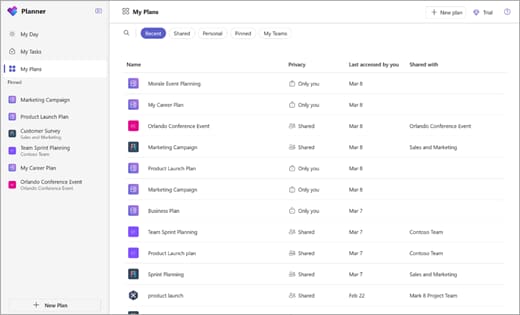
- Chat: Channels, group chat and meetings for up to 300 people, lasting up to 30 hours.
- Tasks: The Planner app inside Teams gathers tasks from plans, meeting notes and Loop components into My Day and My Tasks views. Some plan features need a premium license.
- Notes: Loop components, Word and OneNote, which are separate apps embedded in Teams.
- AI agents: Only with paid Microsoft 365 Copilot: built-in Researcher, Analyst and Facilitator agents, plus custom agents in Copilot Studio. The free Copilot Chat doesn't draw on your work content.
- Search: Paid Copilot reasons across your Microsoft 365 content and more than 100 connectors.
- Watch out for: All five capabilities means four apps and a paid AI layer. The interface is heavier than Slack's. Microsoft unbundled Teams worldwide in 2024 and restored bundled enterprise suites on November 1, 2025, but priced them as the suite plus Teams. That makes Teams a line item enterprises can drop at renewal.
- Price: Teams Essentials is $4 per user per month annually, Business Basic is $7, and Business Standard with Copilot is $23.50. Copilot alone is an $18 add-on. Enterprise customers can buy suites with or without Teams; Teams Enterprise on its own is $8.55 per user, and Office 365 E3 costs about $14.45 without Teams versus $23 with it.
- Best for: Organizations already on Microsoft 365. The Teams comparison is the longer version of this row.
3. Google Chat
Google Chat comes with every Google Workspace plan and sits inside Gmail.
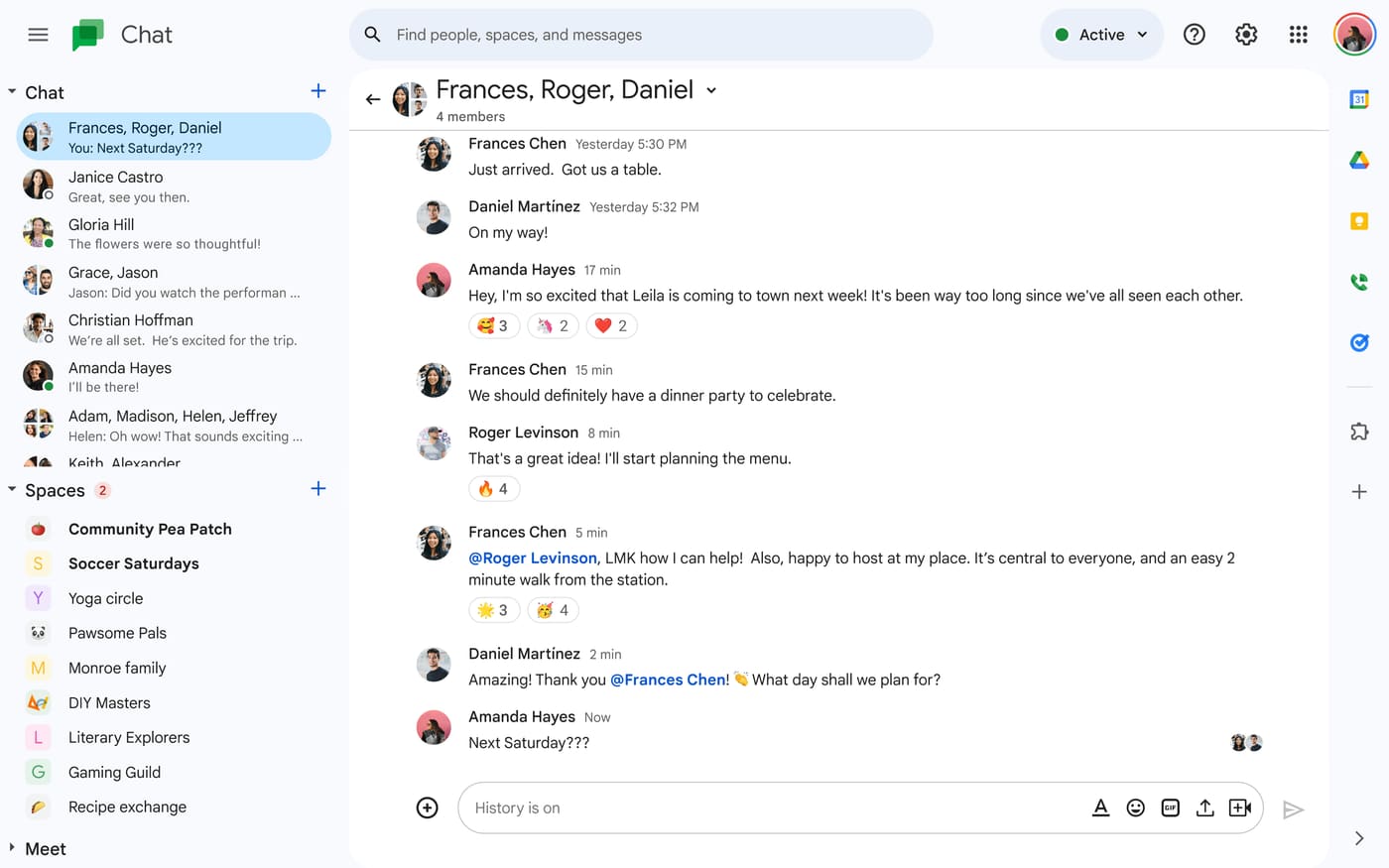
- Chat: Spaces, threads and DMs, built into Gmail. Chat costs nothing extra: it's included in every Google Workspace plan.
- Tasks: A Tasks tab in each space lets you create tasks, set dates and assign them to members. Assigned tasks appear in the person's Google Tasks list. Very large spaces lose the ability to assign tasks.
- Notes: Google Docs, a separate app you share into a space.
- AI agents: Gemini summarizes and drafts across Workspace, and Workspace Studio builds AI-powered workflows. Agent management and governance are on Enterprise plans.
- Search: Gemini can find answers across Gmail, Drive and the other Workspace apps on Business Standard and above.
- Watch out for: Tasks are basic, with no board view or task-from-message. Fewer third-party integrations than Slack, and no standalone plan.
- Price: Business Starter is $7 per user per month annually ($8.40 flexible), Business Standard is $14 and Business Plus is $22.
- Best for: Companies already on Google Workspace.
4. ClickUp
ClickUp is a project management platform that added chat, rather than a chat tool that added tasks.
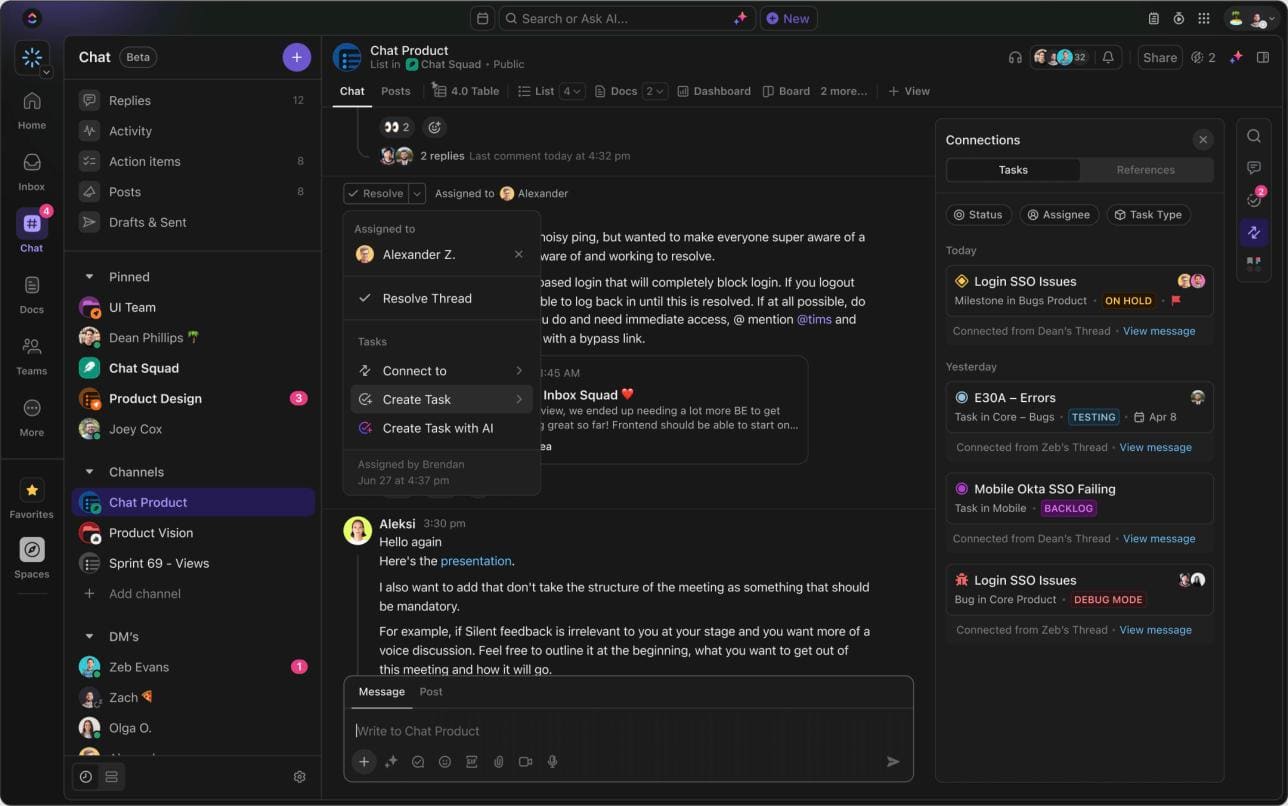
- Chat: Channels, DMs, threads and huddles, with task creation from any message. A one-click Slack import brings over channels, history, members and custom emoji.
- Tasks: The core product, with every view and field a project manager could want.
- Notes: ClickUp Docs and whiteboards.
- AI agents: Brain² Super Agents carry out multi-step work on their own. They run on AI Super Credits, with 1,500 a month included on paid plans.
- Search: Deep Search checks your tasks, docs and chat, plus connected apps (via MCP) and the web.
- Watch out for: This is the closest all-in-one rival, but it starts from project management, so chat is secondary. The learning curve is steep, and AI costs $9 per user on top ($28 for Everything AI).
- Price: Unlimited is $7 per user per month annually ($10 monthly), and Business is $12 ($19 monthly).
- Best for: Teams whose day revolves around projects more than conversation.
5. Pumble
Pumble is the closest thing to Slack at a fraction of the price.
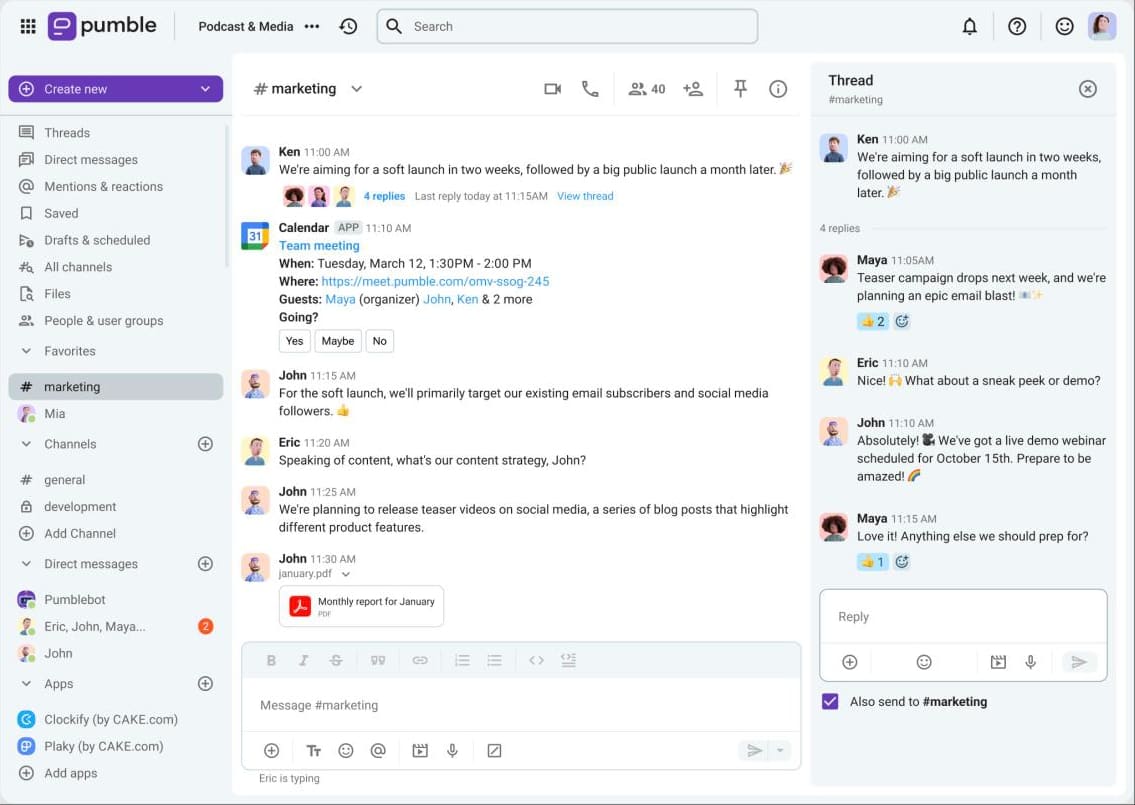
- Chat: Channels, threads, DMs, voice and video messages and scheduled messages, plus calls with screen sharing and recording.
- Tasks: None built in. Tasks live in its sister app, Plaky, sold with Clockify in a $12.99 bundle.
- Notes: None beyond file sharing.
- AI agents: No built-in assistant. An MCP server lets outside AI agents connect to your workspace.
- Search: Unlimited message history search, even on the free plan.
- Watch out for: Only 3 integrations on the free plan and a small ecosystem.
- Price: Pro is $2.49 per user per month annually ($2.99 monthly), Business is $3.99 and Enterprise is $6.99.
- Best for: Budget-conscious teams that want Slack-style chat and nothing more.
6. Chanty
Chanty is simple team chat with a Kanban task board built in.
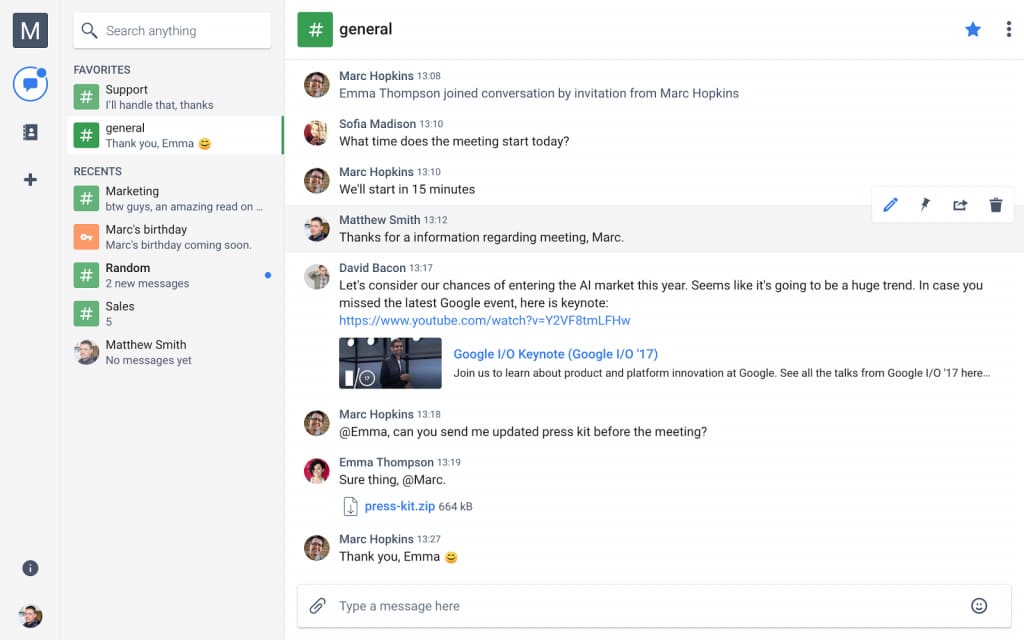
- Chat: Team chat with threads, pins and code snippets. Video calls support up to 1,000 participants.
- Tasks: A Kanban board with due dates, priorities and filters. Any message can become a task.
- Notes: None.
- AI agents: None listed.
- Search: Unlimited searchable message history, including on the free plan.
- Watch out for: The free plan caps the team at 5 members, and unlimited group calls need a paid plan.
- Price: Business is $3 per user per month annually ($4 monthly).
- Best for: Very small teams that want chat and a simple task board.
7. Zoom Team Chat
Zoom Team Chat is included in Zoom Workplace, next to the meetings many teams already run there.
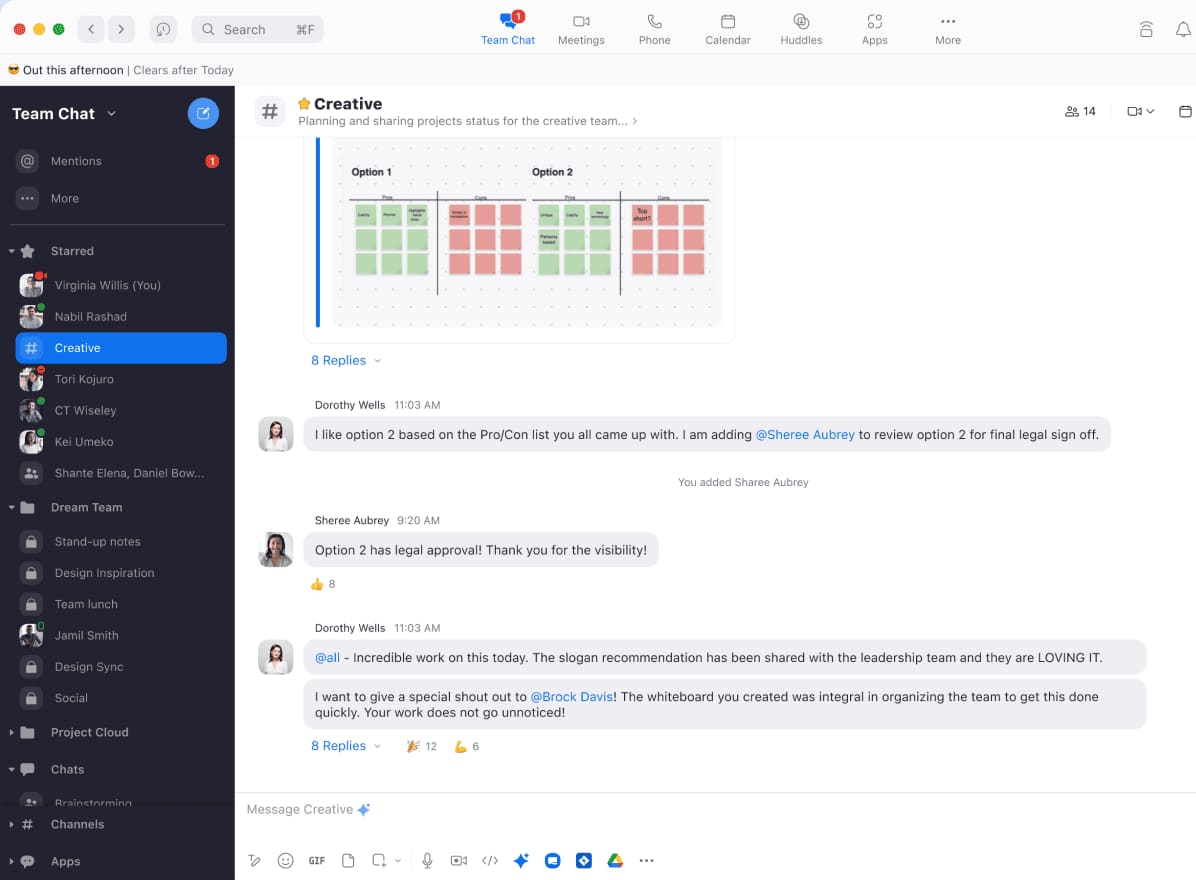
- Chat: Channels, DMs and group chat alongside Zoom meetings.
- Tasks: Zoom Tasks pulls action items out of meeting summaries and chats into one list, and can suggest the next step. It's included with eligible paid plans.
- Notes: Docs tools come with the ZoomMate Plus add-on.
- AI agents: ZoomMate drafts documents, sends follow-ups and updates CRM records. The custom agent builder needs ZoomMate Plus, at about $30 per user per month. The free tier allows 20 AI queries a month.
- Search: ZoomMate searches meeting transcripts, chats, documents and connected apps such as Salesforce, Jira, Google Drive and OneDrive.
- Watch out for: The full set takes two paid layers, about $44 per user per month. Chat is secondary to meetings.
- Price: Pro is $14.16 per user per month annually ($16.99 monthly), and Business is $18.33 ($21.99 monthly).
- Best for: Teams already paying for Zoom.
8. Mattermost
Mattermost is a self-hosted chat platform built for technical and security-conscious teams.
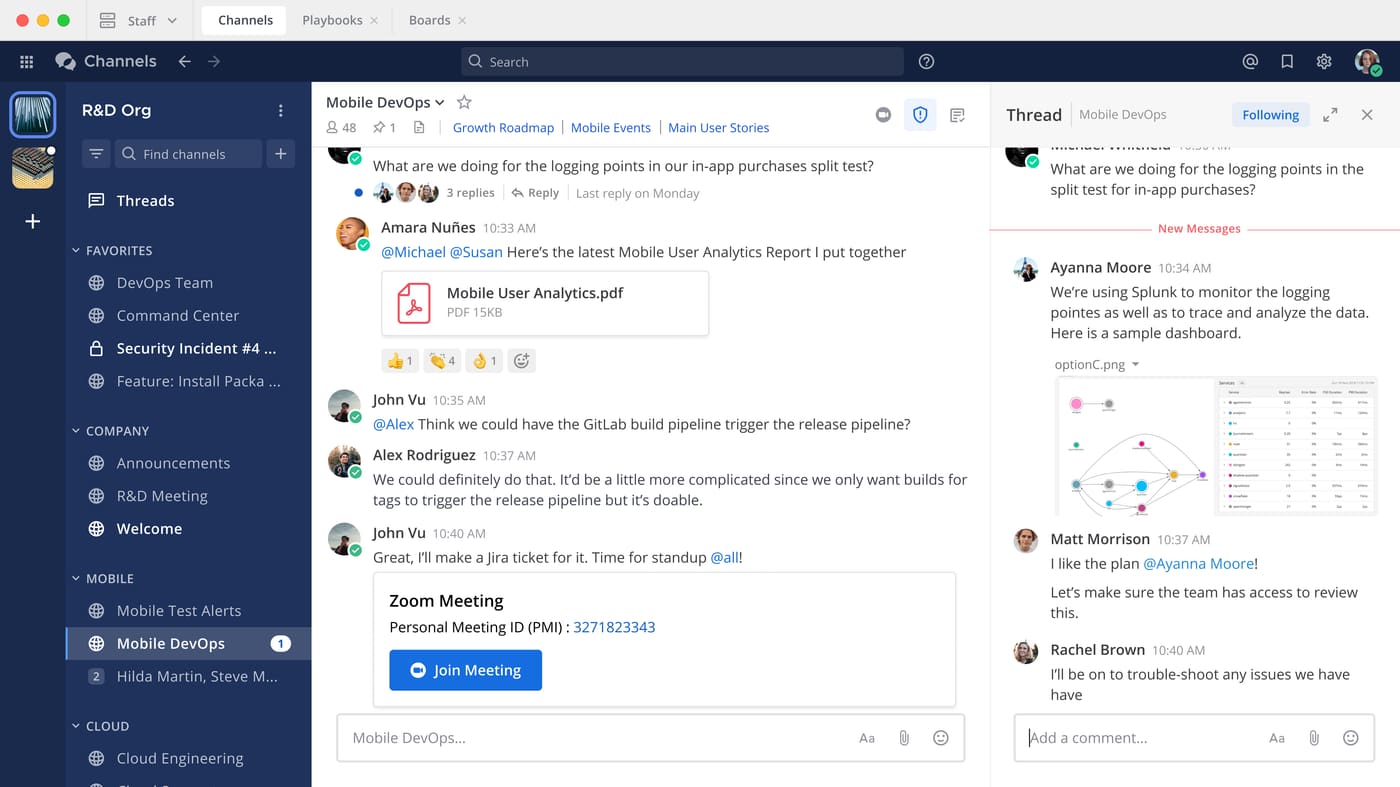
- Chat: Channels, DMs and threads on your own servers.
- Tasks: Playbooks, which are checklists for repeatable processes such as incident response, not a general task system.
- Notes: None.
- AI agents: Mattermost Agents summarize channels and meetings, pull out action items and connect to tools through MCP, with approval rules for what they can do. They run on your own LLMs or on OpenAI, Anthropic, Azure or Bedrock.
- Search: Message search, plus natural-language search through agents.
- Watch out for: You run and maintain the servers. The open-source Team Edition is aimed at teams under 250 users and lost SSO in 2025, and the free Entry edition caps history at 10,000 messages.
- Price: Paid plans are by quote only.
- Best for: Engineering, DevOps and security teams that need full data control, including over their AI.
9. Rocket.Chat
Rocket.Chat is a self-hosted platform aimed at government, defense and regulated industries.
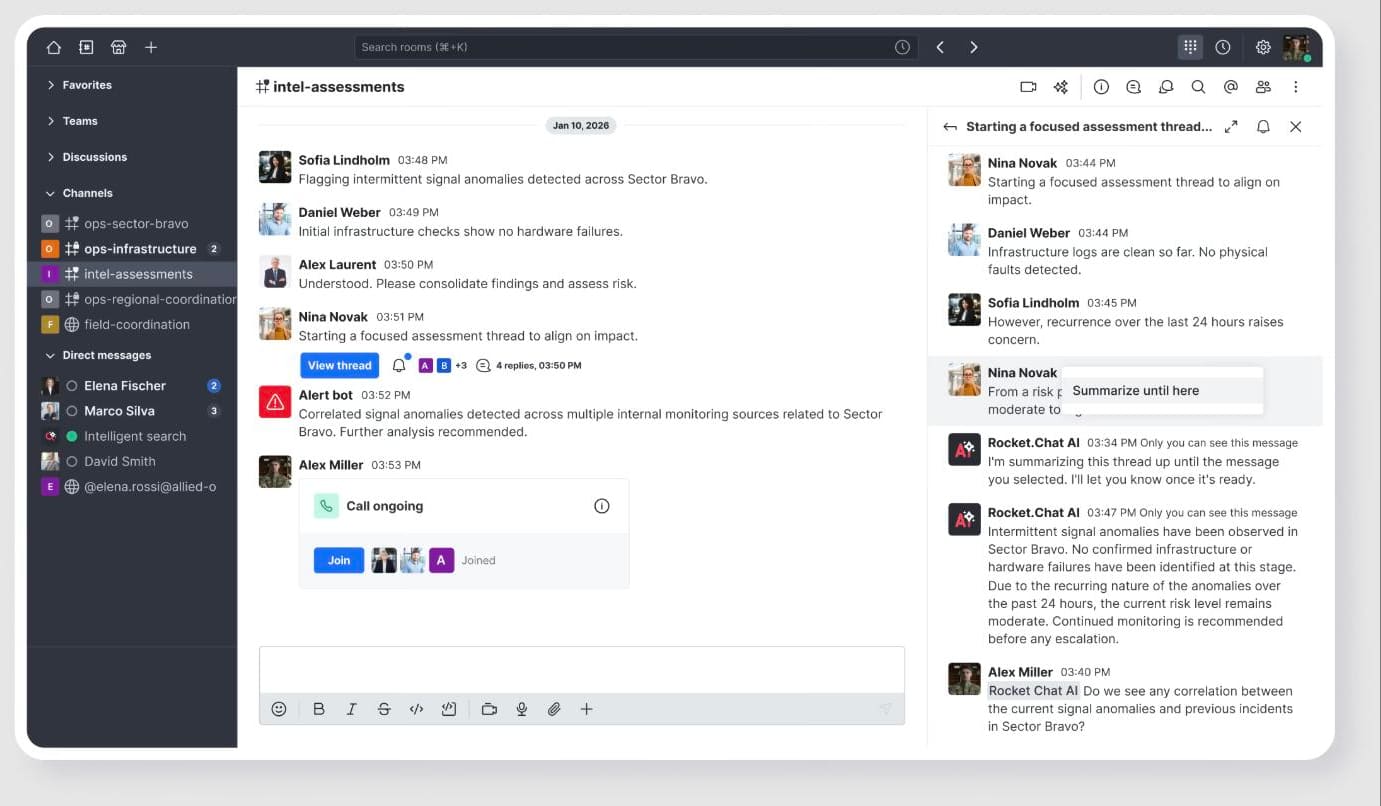
- Chat: Channels, DMs and threads, plus livechat for customer conversations.
- Tasks: None.
- Notes: None.
- AI agents: The Rocket.Chat AI app, a premium beta, summarizes threads and answers questions from your own knowledge base. It needs your own self-hosted LLM and a Milvus vector database.
- Search: Message search.
- Watch out for: The free Starter plan covers up to 50 users and is self-hosted only. The Pro plan stopped taking new customers in April 2026, so paid plans are quote-only.
- Price: Contact sales.
- Best for: Regulated and public-sector organizations that need data sovereignty.
10. Zulip
Zulip organizes every message under a topic inside a channel, so conversations don't blur together.
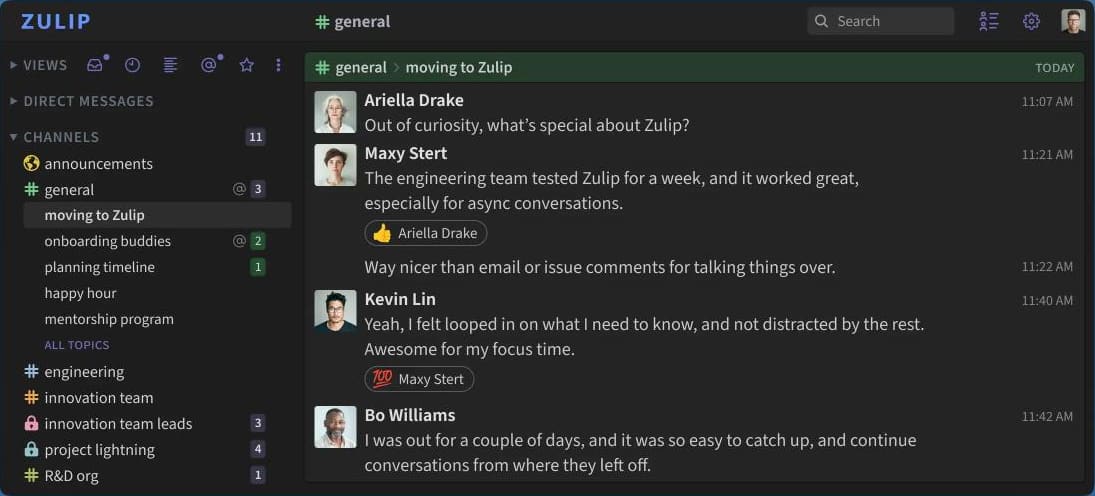
- Chat: Every message sits under a topic inside a channel, so conversations stay separate. Calls run through Zoom, Jitsi or BigBlueButton integrations.
- Tasks: Collaborative to-do lists and polls inside messages, plus marking topics resolved. It's lightweight tracking, not a task system.
- Notes: None.
- AI agents: None built in.
- Search: Full search on paid plans; the free cloud plan searches the last 10,000 messages.
- Watch out for: The topic model takes adjustment. It's fully open source, with 130+ integrations and a free self-hosted plan.
- Price: Cloud Standard is $6.67 per user per month annually ($8 monthly), and Cloud Plus is $10 with a 10-user minimum. Self-hosted Basic is $3.50. Open-source projects, research groups and non-profits can apply for free sponsorship.
- Best for: Distributed teams and open-source communities.
11. Twist
Twist, from the makers of Todoist, is built for asynchronous work rather than real-time chat.
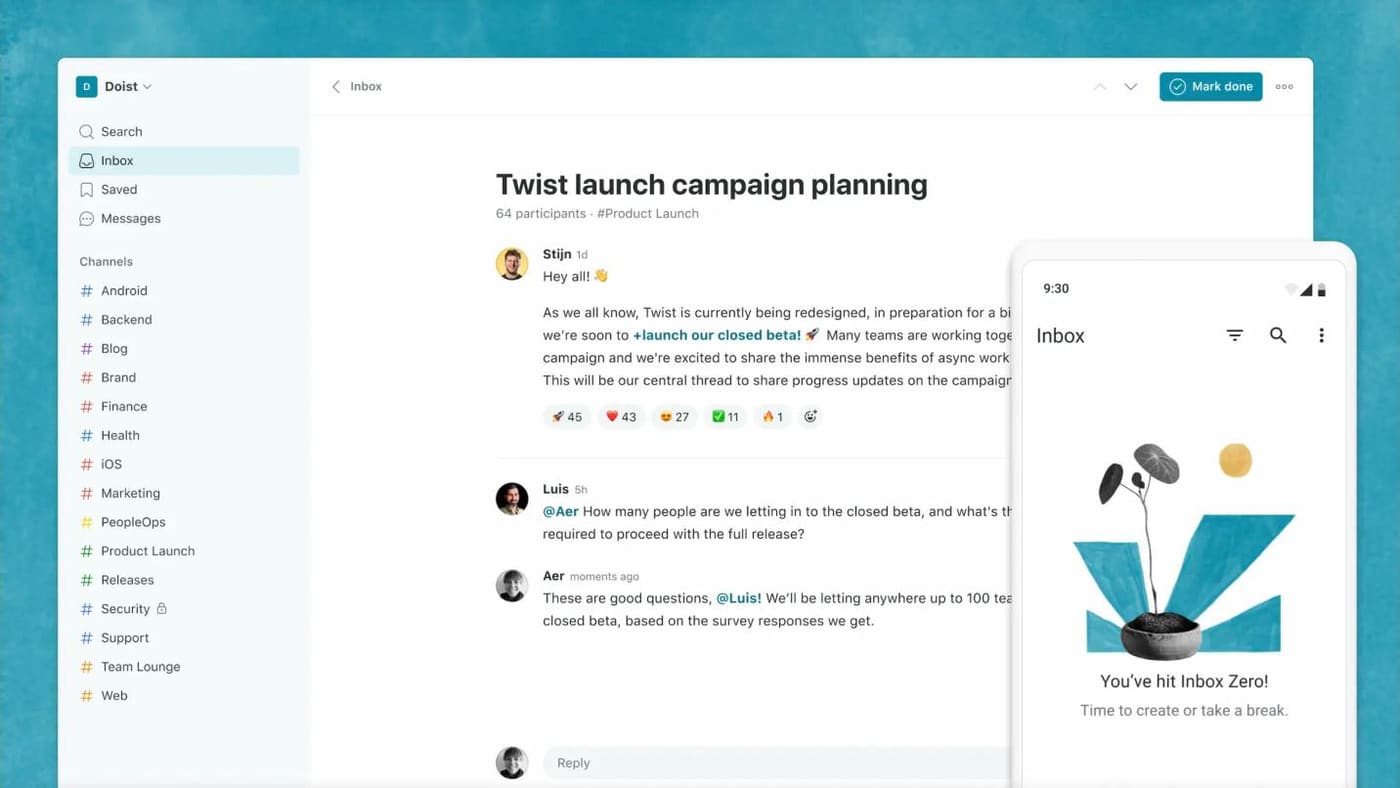
- Chat: Threads with a clear subject inside channels, a shared inbox and one-on-one messages.
- Tasks: Through the Todoist integration, not built in.
- Notes: None.
- AI agents: None listed.
- Search: Across threads and messages; the free plan only reaches back one month.
- Watch out for: It's not built for quick back-and-forth, and calls come through a Zoom integration.
- Price: Unlimited is $6 per user per month billed monthly, with annual billing available.
- Best for: Remote teams spread across time zones.
12. Discord
Discord is free chat, voice and video built for communities.
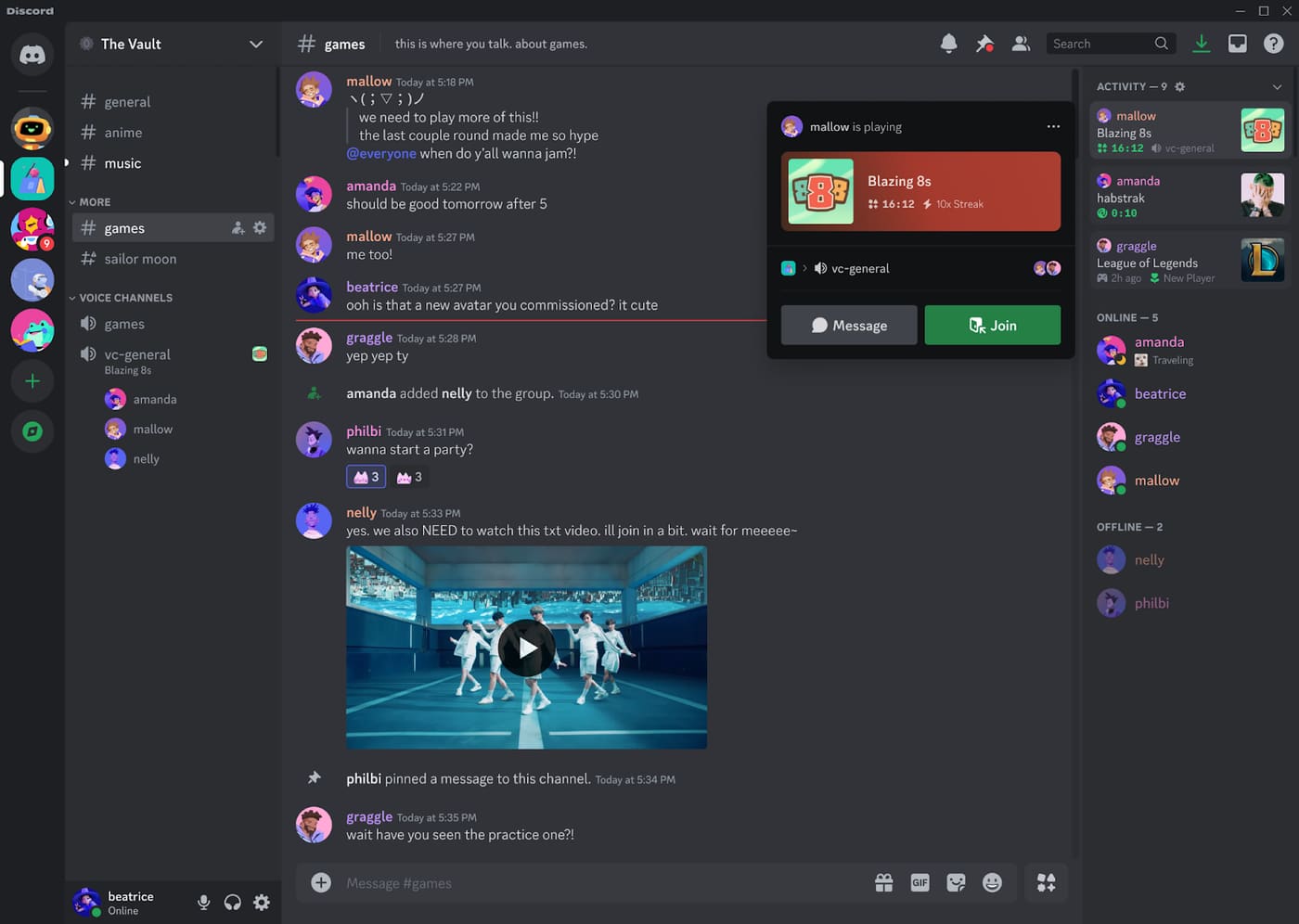
- Chat: Text channels, always-on voice channels, video and screen sharing.
- Tasks: None.
- Notes: None.
- AI agents: Third-party bots only.
- Search: Message search.
- Watch out for: It's built for consumers and lacks the admin controls, compliance features and data management companies usually need.
- Price: Free. Nitro is an optional $9.99 per person per month, and teams don't need it.
- Best for: Communities, public open-source chat and gaming studios.
13. WhatsApp
WhatsApp is the free messaging app many small teams already run on, through group chats and Communities.
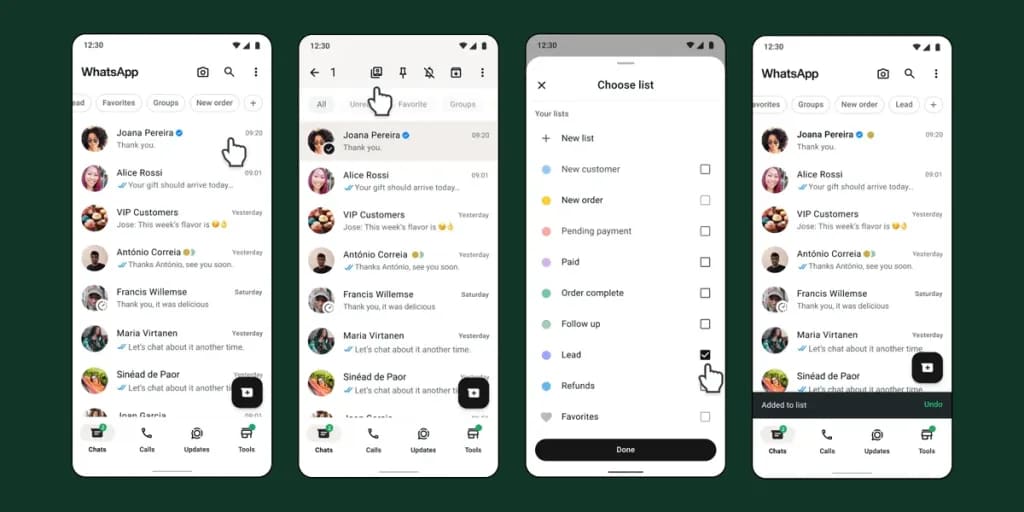
- Chat: Groups and Communities, with announcement groups for broadcasts. August 2026 added @all mentions and polls with time limits.
- Calls: Voice and video calls from any chat or group.
- Tasks: None.
- Notes: None.
- News & events: Events with RSVPs and reminders in groups and Communities.
- AI: Meta AI answers questions by text or voice and summarizes unread messages, but it can't act on your work.
- Search: Messages only.
- Watch out for: It's tied to personal phone numbers and built for people, not organizations. There's no admin console or company-controlled message retention, and work and personal chats mix in one app.
- Price: Free.
- Best for: Very small teams, field and frontline crews, and anyone coordinating with customers or contractors who already use WhatsApp.
How to choose, and how to switch
Start with the problem that's pushing you off Slack, not with a feature list. Four questions narrow the field fast:
- What do you already pay for? If it's Microsoft 365 or Google Workspace, try the chat you already own before buying anything.
- Is the problem cost or capability? If it's cost, Pumble or Chanty. If you're paying for chat plus a separate task tool, look at FabricLoop or ClickUp.
- Do you need your data on your own servers? Then it's Mattermost, Rocket.Chat or self-hosted Zulip, and you need someone to run them.
- Is your team real-time or async? Teams spread across time zones often do better with Zulip or Twist than with any Slack clone.
When you switch, don't move everyone at once. Run the new tool alongside Slack, move one team or project first, and keep Slack read-only for a few weeks so people can still search old threads. Recreate only your active channels, not all of them. Our migration guide walks through this channel by channel.
Frequently asked questions
What is the best free Slack alternative?
Pumble has the most generous free plan: unlimited users, unlimited message history and 10 GB of storage. Chanty's free plan also keeps unlimited history, but caps the team at 5 members. Slack's own free plan keeps 90 days of history.
What is the best open-source Slack alternative?
Mattermost, Rocket.Chat and Zulip all have open-source editions you can host yourself. Zulip suits teams that like topic-based threads, Mattermost suits engineering teams, and Rocket.Chat is strongest in regulated and public-sector settings.
Is Microsoft Teams better than Slack?
For companies already paying for Microsoft 365, Teams is usually the better value because it's already included. On chat experience and the size of its app directory alone, Slack remains the benchmark.
What's the cheapest paid alternative to Slack?
Pumble, at $2.49 per user per month billed annually, compared with $7.25 for Slack Pro. Chanty is next at $3.
Which Slack alternatives include task management?
FabricLoop, ClickUp and Chanty include task management on every plan. Slack (Lists) and Zoom (Zoom Tasks) include it on paid plans, and Google Chat spaces have a basic Tasks tab. Microsoft Teams uses the separate Planner app, and Pumble uses its sister app, Plaky.
Which Slack alternative has chat, tasks, notes and AI agents in one app?
FabricLoop and ClickUp both have all four in one app, plus one search across them. FabricLoop starts from chat and ClickUp starts from project management. Microsoft and Google cover the same ground with separate apps and paid AI tiers, and Slack does it with Lists, Canvas and its paid AI features.
Can I move my Slack history to another tool?
Usually, yes, at least for public channels. Slack lets workspace owners export channel history, and several alternatives can import it. Check what your plan allows to export, and what the new tool can import, before you commit.
Sources
Prices and plan limits come from each vendor's own pages as of September 28, 2026.